Writing Specs for AI Coding: How to Create Requirements Claude Code Gets Right the First Time
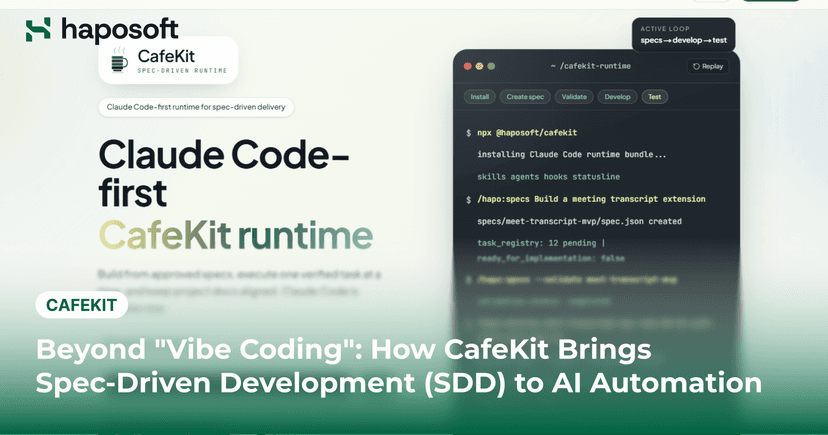
AI coding tools like Claude Code can generate entire features in minutes, but raw speed means nothing if the underlying business logic is flawed. The root cause is rarely the model itself, but rather the fact that we are still feeding it human-centric requirements filled with hidden assumptions. When an AI encounters ambiguity, it doesn't ask for clarification; it simply guesses, and those guesses will eventually break your production. This article explores how to bridge that gap by mastering the art of writing specs for AI coding. We will break down why traditional PRDs fail with autonomous agents, how to use the six-part CafeKit framework to eliminate ambiguity, and practical techniques like EARS and Example Mapping to handle complex edge cases. By the end, you will know exactly how to turn vague ideas into strict, machine-readable contracts that Claude Code can execute perfectly on the first try. Why Writing Specs for AI Coding Is Different Traditional PRDs work perfectly for human teams because developers share a massive amount of implicit context. They can read between the lines, ask quick questions, and align on business goals during a brief chat. An AI agent, however, operates in a complete vacuum without any of this shared background knowledge. When you hand a vague requirement to a human, they will pause and clarify before writing code. When you hand that same requirement to an AI, it immediately starts generating syntax based on statistical guesses. This fundamental difference completely changes how we must approach requirement documentation. AI Doesn't Interpret Requirements Like Humans Human developers are interpretive readers. When they see "users should receive a notification when an order is shipped," they understand the domain context. They know "notification" likely means email in a B2B system or push notification in a mobile app. They check existing code for patterns and ask the product owner when something is unclear. AI does none of this. It processes patterns from its training data and generates the most statistically likely implementation. Not necessarily the correct one–just the most common one it has seen. Human Developer AI Coding Agent Asks clarifying questions Makes assumptions based on available context Uses domain knowledge Only knows what is documented Challenges unclear requirements Interprets requirements literally Relies on team discussions Cannot access undocumented decisions Consider a coupon requirement: "The system shall apply discounts to orders." An AI might implement percentage-based discounts, fixed-amount discounts, or tiered discounts based on order value. It might apply them before tax, after tax, or only to specific categories. Without explicit guidance, it chooses one based on whatever it saw most often in open-source code. This decision might work, or it might be completely wrong for your business logic. Ambiguity Becomes Implementation This is the critical rule for AI specifications: every ambiguity in your requirement becomes a decision the AI makes for you. When you write "notify users when an order is shipped," the AI must select a delivery channel, an email template, a sender address, retry logic, opt-out handling, and rate-limiting rules. It will pick something for each of these without telling you. It does not mark its assumptions or flag uncertain areas. With human developers, ambiguity leads to questions. With AI, ambiguity leads to code. That code will compile, pass tests, and appear to work until the missing edge case surfaces in production. Missing Context Creates Wrong Assumptions AI agents work with the context you provide and nothing else. They can explore your codebase to understand existing patterns, but they cannot infer unstated architectural constraints. If your spec does not mention that all database operations use the repository pattern, the AI writes raw SQL queries in controllers. If you forget to specify JWT-based authentication, it implements session cookies. If you do not state that timestamps should be stored in UTC, it uses the server's local time. A human developer looks at the surrounding code and follows established conventions. Claude Code looks at your spec. If it is not in the spec, it does not exist. This is why your specification must serve as the AI's complete worldview–no assumptions can be left unstated. The Shift-Left Principle Starts at Specification In traditional development, shift-left means moving testing earlier in the cycle. For AI coding, it means moving clarity earlier–all the way to the specification phase. The cost of fixing bugs in AI-generated code is not in debugging but in regeneration. You catch the issue, rewrite the requirement, and rerun the agent. Each iteration costs time and token budget. A tight specification prevents these cycles. When you write "WHEN order.status changes to 'shipped', THE SYSTEM SHALL send an email to customer.email_address," the AI has no room to improvise. The output matches the intent because the input left nothing to interpretation. This is the fundamental productivity lever for AI coding: better specifications, not better prompting. And the most practical way to write specifications this precise is using a structured syntax designed to remove ambiguity–EARS. Using EARS to Reduce Ambiguity in AI Requirements What Is EARS EARS stands for Easy Approach to Requirements Syntax. It was developed by Alistair Mavin and colleagues at Rolls-Royce PLC for aerospace and defense systems—environments where misinterpretation can cost millions. The syntax forces requirements writers to use a strict, predictable structure that eliminates the natural ambiguity of human language. Every EARS requirement follows a clear pattern that specifies exactly what triggers an action, what conditions apply, and what the system must do in response. This structure is particularly valuable for AI coding agents because they process patterns far more effectively than they interpret intent. When you write a requirement in natural English, the AI must guess which words are the trigger, which words are the condition, and which words are the action. When you write in EARS format, the roles are clearly marked by the syntax itself. The AI does not need to infer–it simply maps the structured input to structured output. Why EARS Works Well for AI Agents AI coding agents perform best when instructions follow predictable patterns. While human readers can often infer meaning from loosely written requirements, AI models are far more reliable when requirements are structured and explicit. Consider how developers typically write requirements in a PRD: Users should receive notifications when an order ships. Most stakeholders understand the intent behind this statement. However, several important details remain open to interpretation. What type of notification should be sent? Who receives it? When should it be triggered? What happens if delivery fails? Using EARS, the same requirement becomes: WHEN an order status changes to "Shipped" THE SYSTEM SHALL send an email notification to the customer's registered email address within 5 minutes. The business intent remains the same, but the implementation details become much clearer. Instead of asking AI to interpret a broad statement, the requirement explicitly defines the trigger, action, and expected outcome. This structure reduces ambiguity and gives Claude Code a much stronger foundation for generating the correct implementation on the first attempt. Core EARS Requirement Types EARS is built around a small number of requirement patterns. These patterns cover most scenarios encountered during software development and help teams maintain consistency across specifications. For AI-assisted development, these patterns create a predictable structure that makes requirements easier to interpret and implement consistently. Pattern Structure When to Use Example Ubiquitous THE SYSTEM SHALL Behavior that always applies regardless of state or events THE SYSTEM SHALL log all payment transactions Event-Driven WHEN THE SYSTEM SHALL Behavior triggered by a specific event that occurs at a point in time WHEN a user submits a password reset request THE SYSTEM SHALL send a reset link State-Driven WHILE THE SYSTEM SHALL Behavior that applies during a continuous period or persistent state WHILE a user session is active THE SYSTEM SHALL refresh the authentication token every 15 minutes Optional Feature WHERE THE SYSTEM SHALL Behavior that is only available when a specific feature or condition is enabled WHERE the user has administrator privileges THE SYSTEM SHALL display the audit log Unwanted Behaviour IF THEN THE SYSTEM SHALL Behavior for edge cases, failures, or unwanted conditions IF the payment gateway returns a timeout error THE SYSTEM SHALL retry up to 3 times Traditional Requirement vs EARS Requirement The difference between a traditional requirement and an EARS requirement is not just about formatting–it is about what the AI can infer versus what you must explicitly state. Traditional requirement: "Users should receive notifications when an order is shipped." The AI reads this and must decide what "notification" means, what "shipped" means, who the user is, what channel to use, what the content should be, and what to do if the notification fails. These are all decisions the AI will make based on training data, not based on your actual system requirements. EARS requirement: "WHEN an order status changes to 'shipped' THE SYSTEM SHALL send an email notification to the customer's registered email address within 5 minutes of the status change." Now the AI knows exactly what to build. The trigger is a status change to a specific value. The response is an email to a specific address. The timing is constrained. There is nothing to interpret. If you want to specify what happens when the email fails, you add an error handling requirement. Here is a side-by-side comparison of what the AI must decide in each case. Traditional Requirement EARS Requirement Customers can apply discount codes at checkout. WHEN a customer enters a valid discount code during checkout, THE SYSTEM SHALL apply the corresponding discount before calculating the final order total. Invalid discount codes should show an error. IF a discount code does not exist or has expired, THE SYSTEM SHALL display an error message and prevent the discount from being applied. Premium users can use loyalty discounts. WHERE a customer has Premium status, THE SYSTEM SHALL allow loyalty discounts to be combined with promotional discount codes. Both versions communicate the same business idea. The difference is that EARS removes much of the interpretation required during implementation. For a human developer, this improves clarity. For Claude Code, it provides a much stronger signal about the behavior that should be generated. EARS Creates Better Inputs for Testing Another advantage of EARS is its natural alignment with testing practices. Many teams already use Behavior-Driven Development (BDD) to define acceptance criteria through Given-When-Then scenarios. EARS follows a similar mindset by making triggers, conditions, and expected outcomes explicit. For example, this requirement: WHEN a customer's subscription expires, THE SYSTEM SHALL revoke access to premium features. can easily be translated into a test scenario: Given a customer with an active premium subscription When the subscription reaches its expiration date Then premium features should no longer be accessible This relationship becomes particularly useful when working with AI coding tools. Claude Code can use the same requirement as the basis for implementation, unit tests, integration tests, and acceptance criteria. Instead of generating code from a vague description, the AI works from a specification that already defines expected behavior. EARS is not a complete framework for writing AI-ready specifications. It does not define business context, domain terminology, technical constraints, or edge cases. However, it provides a strong foundation for describing system behavior in a way that minimizes ambiguity and improves implementation accuracy. Read more: Spec-Driven Development for Claude Code: Comparing CafeKit, GitHub Spec Kit, BMAD, and claude-code-spec-workflow The Anatomy of an AI-Ready Specification EARS helps define system behavior clearly, but writing specs for AI coding requires more than well-structured requirements. Claude Code still needs enough context to understand the business problem, the domain it operates in, and the technical constraints it must follow. A common mistake is assuming that a collection of EARS requirements is enough for implementation. In reality, two teams can provide the exact same requirement and still receive very different outputs depending on the surrounding context. This is why high-performing AI engineering teams are moving toward AI-ready specifications–documents designed not only for human review but also for AI execution. While formats vary across organizations, most effective AI-ready specifications share the same core components. Context and Goal Before defining requirements, the specification should establish why the feature exists and what problem it solves. This section gives the AI the business context needed to make better implementation decisions. Without context, the model may focus on completing individual requirements while missing the broader objective behind the feature. For example, instead of jumping directly into requirements such as "WHEN a customer enters a discount code, THE SYSTEM SHALL apply the corresponding discount," provide a brief description of the feature goal. Something like: "The purpose of this feature is to increase promotional campaign adoption by allowing customers to redeem discount codes during checkout while ensuring discount rules remain consistent across web and mobile platforms." This gives Claude Code a clearer understanding of the business outcome it is supporting. Domain Glossary One of the fastest ways to create confusion in AI-generated code is inconsistent terminology. Many organizations use similar terms interchangeably during discussions, but those differences can have a significant impact during implementation. A specification might refer to User, Customer, Member, and Subscriber even though they represent different business entities. An AI-ready specification should include a glossary that defines important domain concepts before implementation begins. Term Definition Customer A registered user who can place orders Guest User A visitor who can browse products but cannot access order history Discount Code A promotional code that reduces order value when eligibility conditions are met Premium Customer A customer enrolled in the loyalty program Functional Requirements Using EARS Once context and terminology are established, functional requirements should be defined using a consistent structure. This is where EARS becomes the primary mechanism for describing system behavior. Instead of relying on free-form descriptions, each requirement clearly defines triggers, conditions, and expected responses. The five EARS patterns cover every scenario you will encounter: ubiquitous behavior that always applies, event-driven behavior triggered by specific actions, state-driven behavior that depends on system state, optional features that apply only under certain conditions, and error handling for when things go wrong. Error handling requirements are particularly important because teams tend to focus on the happy path and overlook exceptions. If you do not specify what happens when a coupon code is invalid, the AI will either ignore the case or invent behavior that may not align with your business rules. For each event-driven requirement, write at least one corresponding IF requirement for what happens when the operation fails. Example Requirements for a Discount System: WHEN a customer enters a valid discount code during checkout, THE SYSTEM SHALL apply the corresponding discount before calculating the final order total. IF a discount code has expired, THE SYSTEM SHALL display an error message and prevent the discount from being applied. IF a discount code has exceeded its usage limit, THE SYSTEM SHALL reject the application and display "This coupon has reached its usage limit." IF a customer applies a coupon while the order is in CONFIRMED status, THE SYSTEM SHALL reject the modification and display "Cannot modify confirmed order." IF two customers apply the same coupon simultaneously, THE SYSTEM SHALL process the applications sequentially and enforce the usage limit correctly. Because these requirements follow a predictable structure, they are easier for both reviewers and AI coding agents to understand. The AI does not need to guess how to handle exceptions–you have documented them explicitly. Acceptance Criteria Requirements define what the system should do. Acceptance criteria define how success will be measured. This section helps prevent different stakeholders from interpreting the same requirement in different ways. It also provides clear validation targets for AI-generated implementations. Many teams use a BDD-style format because it is both human-readable and testable. Example: Given a valid discount code exists When a customer applies the code during checkout Then the correct discount should be reflected in the order total Acceptance criteria create a direct connection between business expectations and implementation outcomes. Technical Constraints One of the biggest sources of unnecessary AI-generated complexity is missing technical guidance. When no constraints are provided, Claude Code may introduce new patterns, dependencies, or architectural approaches that differ from the rest of the system. A dedicated technical constraints section can significantly reduce this risk. Examples include: Use the existing Repository pattern. Reuse the Notification Service for all customer communications. Do not introduce new third-party dependencies. Follow the project's existing API response format. Ensure response times remain below 500ms under normal load. Validation Rules and Business Rules Many requirements fail because validation logic is implied rather than documented. For example, a specification might simply state "validate discount code input," which leaves too much room for interpretation. A stronger specification explicitly defines the rules: Discount code length must not exceed 50 characters. Codes are case-insensitive. Expired codes cannot be redeemed. Codes cannot be combined unless explicitly marked as stackable. The more specific the business rules, the less guesswork AI must perform during implementation. Test Scenarios and Definition of Done The final section should define how the feature will be verified and when it can be considered complete. This provides a clear finish line for both developers and AI coding agents. A Definition of Done may include: All EARS requirements implemented. Unit tests pass. Integration tests pass. Acceptance criteria satisfied. No critical security findings. Documentation updated. Taken together, these components transform a traditional requirement document into an AI-ready specification. EARS provides the structure for describing behavior, while context, terminology, constraints, and validation rules provide the information Claude Code needs to generate code that aligns with business expectations. However, even the most well-structured specification can fail if important edge cases are overlooked–which is why documenting exceptions, failure scenarios, and boundary conditions is the next critical step. Building an AI-Executable Spec with CafeKit Writing a good specification is only part of the challenge. As AI adoption grows across engineering teams, organizations quickly discover another problem: keeping requirements, business context, architectural decisions, and domain knowledge consistent over time. A single feature specification may contain dozens of EARS requirements, validation rules, edge cases, and acceptance criteria. Multiply that across multiple teams and projects, and maintaining a reliable source of truth becomes increasingly difficult. When information is scattered across documents, tickets, meeting notes, and chat conversations, AI coding agents often receive incomplete or outdated context. This is where platforms such as CafeKit become valuable. Rather than treating specifications as standalone documents, CafeKit helps teams manage the broader context that AI coding agents depend on. Requirements, business rules, domain terminology, and supporting knowledge can be organized in a structured format, making it easier for both humans and AI to access the same information. Read more about Cafekit: Beyond "Vibe Coding": How CafeKit Brings Spec-Driven Development (SDD) to AI Automation Centralizing Business Context One of the most common causes of AI implementation errors is fragmented context. Business requirements may live in one document, architectural decisions in another, and domain terminology somewhere else entirely. While experienced developers can usually navigate these gaps, AI agents struggle when important information is distributed across multiple sources. A centralized knowledge base reduces this problem by creating a single source of truth for requirements and supporting context. Instead of relying on assumptions, Claude Code can work from information that has already been documented and reviewed. This eliminates the guesswork that comes from the AI trying to piece together incomplete information from scattered sources. Maintaining Consistent Domain Knowledge As systems grow, terminology becomes increasingly important. Concepts such as Customer, Member, Subscriber, and User may appear similar but often represent different business entities. Without a shared glossary, inconsistencies can quickly spread into requirements, code, APIs, and documentation. AI-generated implementations are particularly sensitive to this issue because models tend to interpret terminology literally. By maintaining domain definitions in a central location, teams can reduce ambiguity and improve consistency across AI-assisted development workflows. When the AI knows exactly what a "Premium Customer" means, it generates code that correctly implements the associated business rules without introducing subtle errors. Preserving Architectural Decisions Requirements explain what a system should do. Architectural decisions explain how the system should be built. These decisions are often documented through Architecture Decision Records (ADRs), covering topics such as design patterns, infrastructure choices, integration approaches, and performance constraints. While developers may already be familiar with these decisions, AI agents can only follow them if they are accessible during implementation. Providing AI with access to architectural guidance helps reduce unnecessary deviations from established engineering standards and lowers the risk of introducing inconsistent solutions. When Claude Code knows that the team uses the repository pattern and follows specific API conventions, it generates code that fits seamlessly into the existing codebase rather than introducing novel patterns that require refactoring. Creating a Better Workflow for Claude Code Many teams are now moving away from simple prompt-based development and toward specification-driven workflows. Instead of asking Claude Code to "build a feature," the process becomes more structured: Define business goals and requirements. Document EARS requirements and acceptance criteria. Capture edge cases and validation rules. Provide architectural constraints and supporting context. Generate implementation and tests from the specification. This approach creates a much stronger foundation for AI-assisted development because the model spends less time making assumptions and more time executing clearly defined requirements. The result is not only better code generation, but also more consistent implementations, fewer revision cycles, and greater alignment between business expectations and engineering outcomes. Ultimately, tools like Claude Code become significantly more effective when they operate within a structured specification environment. Conclusion Writing specs for AI coding is fundamentally different from writing requirements for human developers. Human developers interpret, ask questions, and fill in gaps. Claude Code executes what you specify. When the specification or surrounding code is ambiguous, it makes the best inference based on available context. EARS removes ambiguity by forcing you to specify triggers, conditions, and responses explicitly. CafeKit provides the workspace and workflow–context, terminology, constraints, and validation rules–that AI agents need to generate code that aligns with your business expectations. We are actively using these practices in our projects at Haposoft and seeing significant improvements in code quality and development speed. CafeKit is open-source and available for early use. Install it and start writing specs for AI coding that actually work. Have questions or need advice? Reach out–we are happy to share what we have learned. Ready to put this into practice? CafeKit is open-source and available for early use. Install it and start writing specs for AI coding that actually work. bash npx @haposoft/cafekit GitHub Repository →



.png&w=828&q=75)